Peptide Packaging Design: A Production Review Checklist
Written by Peptide Growth Agency · Editorial standards
TL;DR
Review peptide packaging design through approved content, physical proofs, readable panels and version control before releasing files for production.
Peptide packaging design needs a production checklist as well as an attractive concept. Start with confirmed requirements, approved content and the physical package, then test whether the finished artwork remains readable, accurate and consistent with the website.
This guide covers a design-review workflow for Canadian-facing peptide and longevity businesses. It is not a universal label specification, legal advice or approval to market a product. Peptide Growth Agency does not sell peptides or provide medical advice. The examples are proposed review practices, not an approved package or a client result.
Start peptide packaging design with a requirements handoff
Before drawing panels, identify the exact item, intended market, business model and confirmed classification. Ask the responsible regulatory or legal reviewer which requirements apply and what must be resolved before artwork can proceed.
A category keyword does not establish a legal classification. Do not copy another company's package and assume its content, symbols or declarations belong on yours.
The Competition Bureau's consumer packaging and labelling guide addresses prepackaged non-food consumer products within its scope and lists exemptions, including drugs and medical devices. It is general guidance, not a substitute for the applicable legislation or product-specific review.
Use that distinction to structure the brief. Record the source of each requirement, who confirmed it and which questions remain open. Do not turn an unresolved classification into a design assumption.
Build an approved content inventory before layout
Collect the exact text and data the package needs. Separate business identity, product identity, market-specific content, supporting references and any variable production information.
The inventory should distinguish approved wording from placeholders. Assign an owner to each item and keep a version date so the designer is not choosing between conflicting documents.
For multilingual content, plan the required language versions with qualified reviewers rather than squeezing a translation into leftover space. Confirm what is required for this package and market before locking dimensions or panel allocation.
Keep promotional copy separate from mandatory or operational information. If space is tight, do not make the latter unreadable to preserve a large slogan. Escalate the layout conflict and revise the design brief.
Confirm the physical specification with the producer
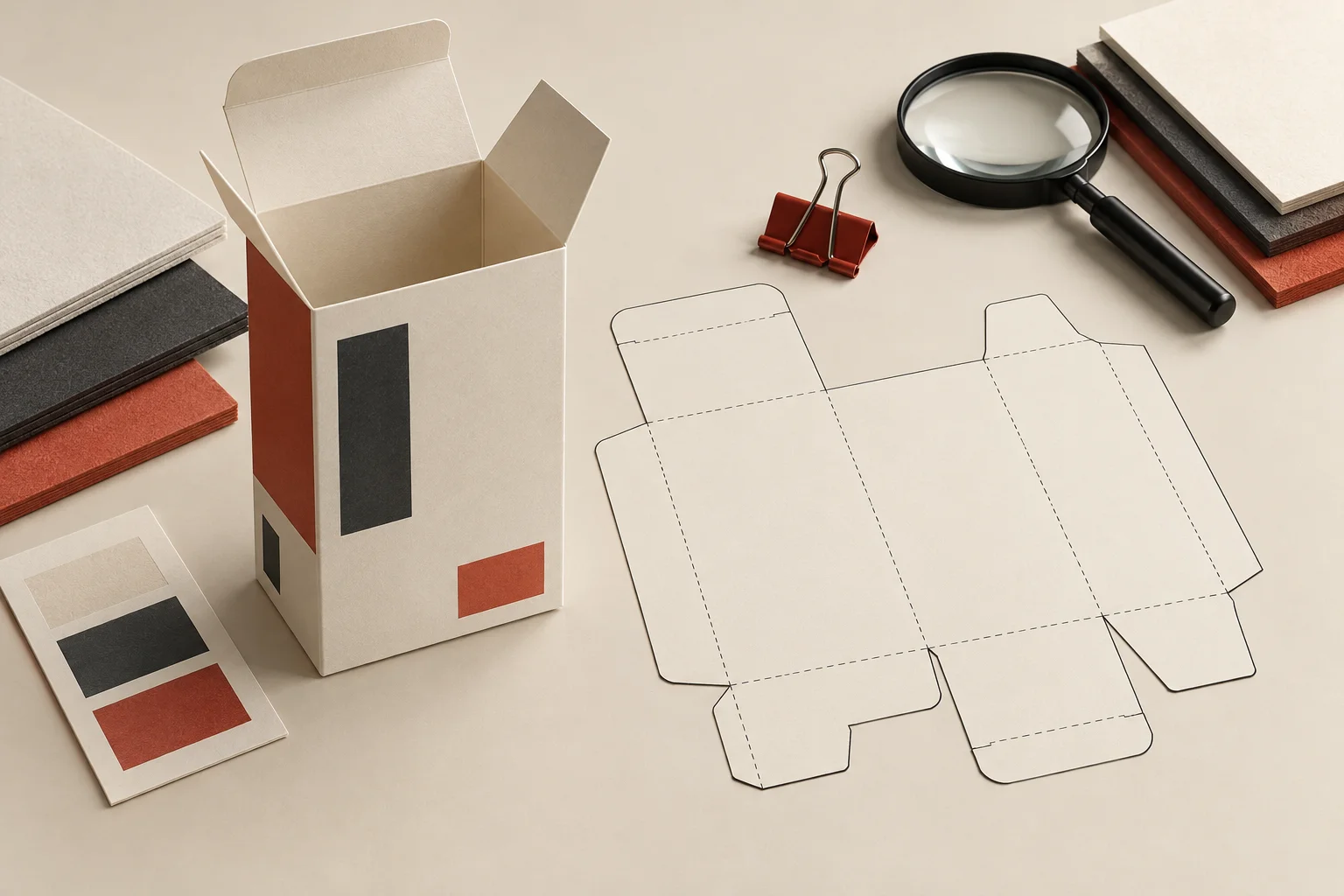
Get the current dieline and production specification from the packaging supplier. Confirm dimensions, panel orientation, folds, seams, print areas and the handling of special finishes.
A rendered box is not proof that the artwork fits the production file. Ask the printer to identify bleed, safe areas, colour setup and export requirements for the actual job. These are supplier-specific details, not values to borrow from a generic checklist.
Decide which information is fixed artwork and which is applied during production. Where variable information is required or used, reserve a practical area and test the method that will put it there.
Do not claim that a chosen material provides protection, stability or a particular environmental benefit merely because the mockup looks substantial. Those statements need their own appropriate evidence and review.
Give each panel a clear information task
Map what a person needs to find on the package without guessing where it is hidden. Use a consistent hierarchy for identity, supporting context and the next appropriate information route.
Check the assembled package, not only the flat layout. A fold can split a phrase; a seam can obscure a character; a curved surface can change how much is visible at once.
Use real content at actual size during review. Placeholder lines do not reveal whether the longest approved name or a full contact detail will fit. Test contrast and spacing on the intended material, including any effect from coatings or finishes.
The brand-system guide covers reusable identity rules. Packaging should apply those rules while giving required information enough space, rather than treating the logo as the only element that matters.
Review what imagery and structure imply
Read the package as a complete representation. Typography, symbols, illustrations, finishes and wording can combine to suggest more than a sentence says on its own.
The Bureau's general impression guidance explains that courts consider overall impression alongside literal meaning. It includes examples where illustrations make otherwise accurate words misleading.
For a packaging review, check whether a seal suggests approval, a laboratory scene suggests facilities the business does not have, or an image represents something different from the actual item. Do not treat these as decoration outside the review scope.
Keep concept renders clearly separate from photographs of the finished package. A visual used for planning should not become apparent product evidence simply because it is exported into a sales page.
Connect document routes without hiding essential information
If a package points to a website or document, define the destination and who maintains it. A QR code should resolve to the intended page, not a temporary design preview or an unrelated homepage.
Test a printed proof with an ordinary phone at a practical distance. Confirm that the destination loads, identifies the relevant item and remains useful without an unexpected account gate.
Do not assume a code can replace information required on the physical package. Have the responsible reviewer settle that question separately. Digital convenience does not remove the need to verify the package itself.
The product-page evidence review can help align the linked page with the correct identity and supporting documents. Check the website and package together before releasing either as a matched set.
Use proof stages with clear acceptance checks
Define what each approval means. A design-direction approval is different from a content approval, printer preflight or final production release.
A practical sequence is to review the flat artwork, inspect an actual-size proof, assemble a sample where appropriate and confirm the final production export. The producer and responsible reviewers should define which additional checks the job needs.
At each stage, record the file version, reviewer, date and unresolved issues. Mark a correction as complete only after inspecting the changed proof. A verbal assurance that the text was fixed does not show whether the right export reached production.
Do not send a file labelled final while open issues remain. Use an explicit hold state and name the person who can clear it.
Keep the production handoff small and traceable
Deliver the approved artwork, required source assets, supplier specification and the approval record together. Remove obsolete exports from the release folder or clearly separate them from the current set.
Confirm asset rights and licences for the intended use. Keep printer-facing production details distinct from public marketing files so a concept mockup is not mistaken for press-ready artwork.
After production, compare a representative finished package with the approved proof. Record any mismatch and resolve it before reusing the same files for another run.
Our peptide branding and packaging work connects identity, layout and production handoff with the brand's qualified reviewers. For help identifying the next packaging or website review scope, request a strategy audit.
Frequently asked questions
What should a peptide packaging design brief include?
Record the intended market, confirmed product classification, approved content, physical dimensions, production constraints and review owners. Keep unresolved requirements separate from approved artwork.
Can one packaging template cover every peptide product?
Do not assume it can. Classification, market, product details and applicable rules must be checked for the specific item. A generic design template does not establish regulatory compliance.
Is a digital mockup enough to approve packaging?
No. Inspect an actual-size proof and an assembled sample where appropriate. Check text, folds, seams, variable information and production details with the printer and responsible reviewers.
Can a QR code replace required package information?
Do not assume a QR code can replace information required on the package. Have the responsible reviewer confirm the requirements, and test the code's destination, accuracy and accessibility separately.